Seeing the Open POAM Items for What You Are Viewing
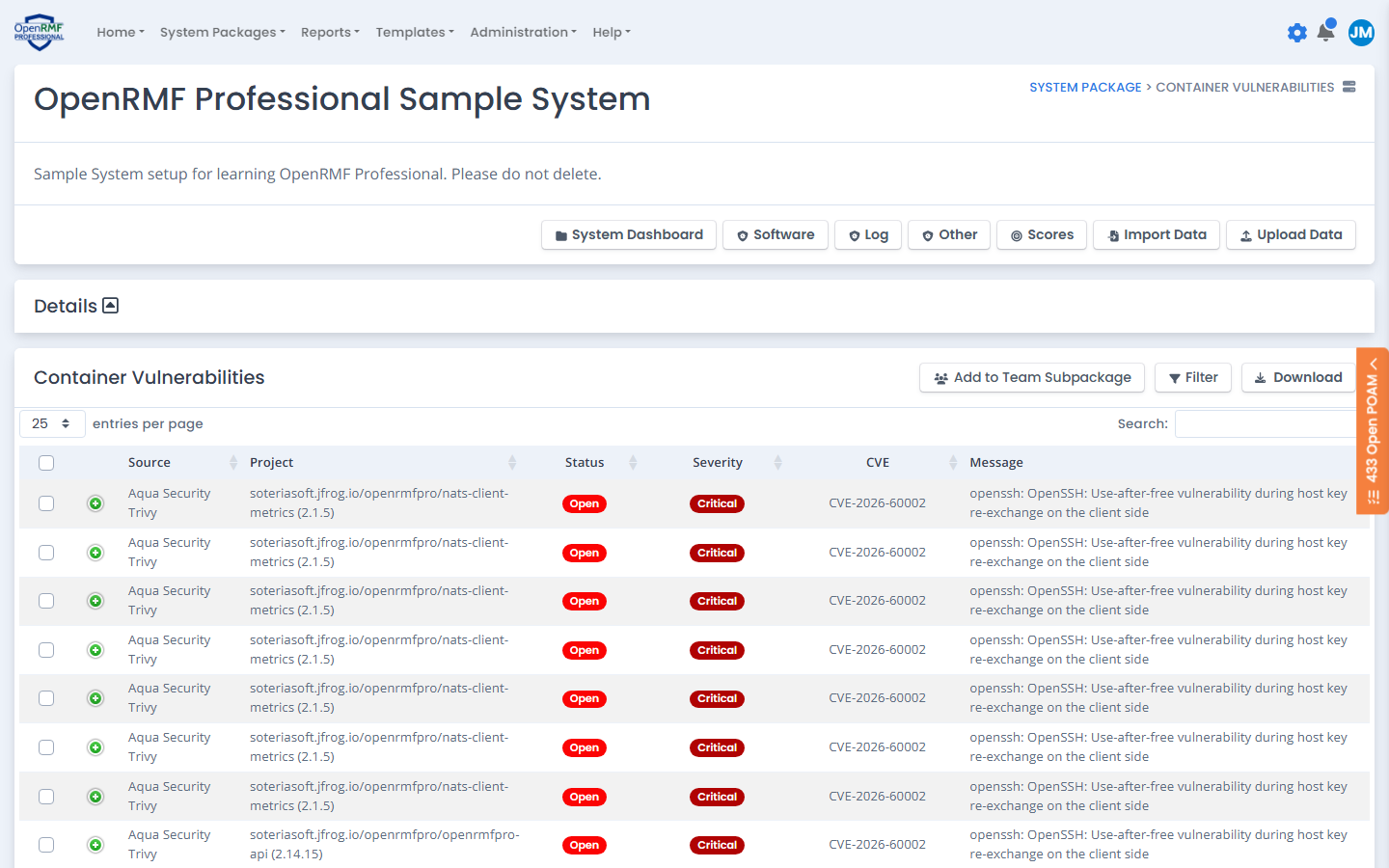
While you work on a checklist, a device, patch findings, other technology findings, or compliance statements, OpenRMF® Professional checks your live POAM for open items tied to what is on your screen. When there are any, an orange “Open POAM” tab shows on the right edge of the page with the number of open items. Nothing shows when there are no open POAM items for that page.
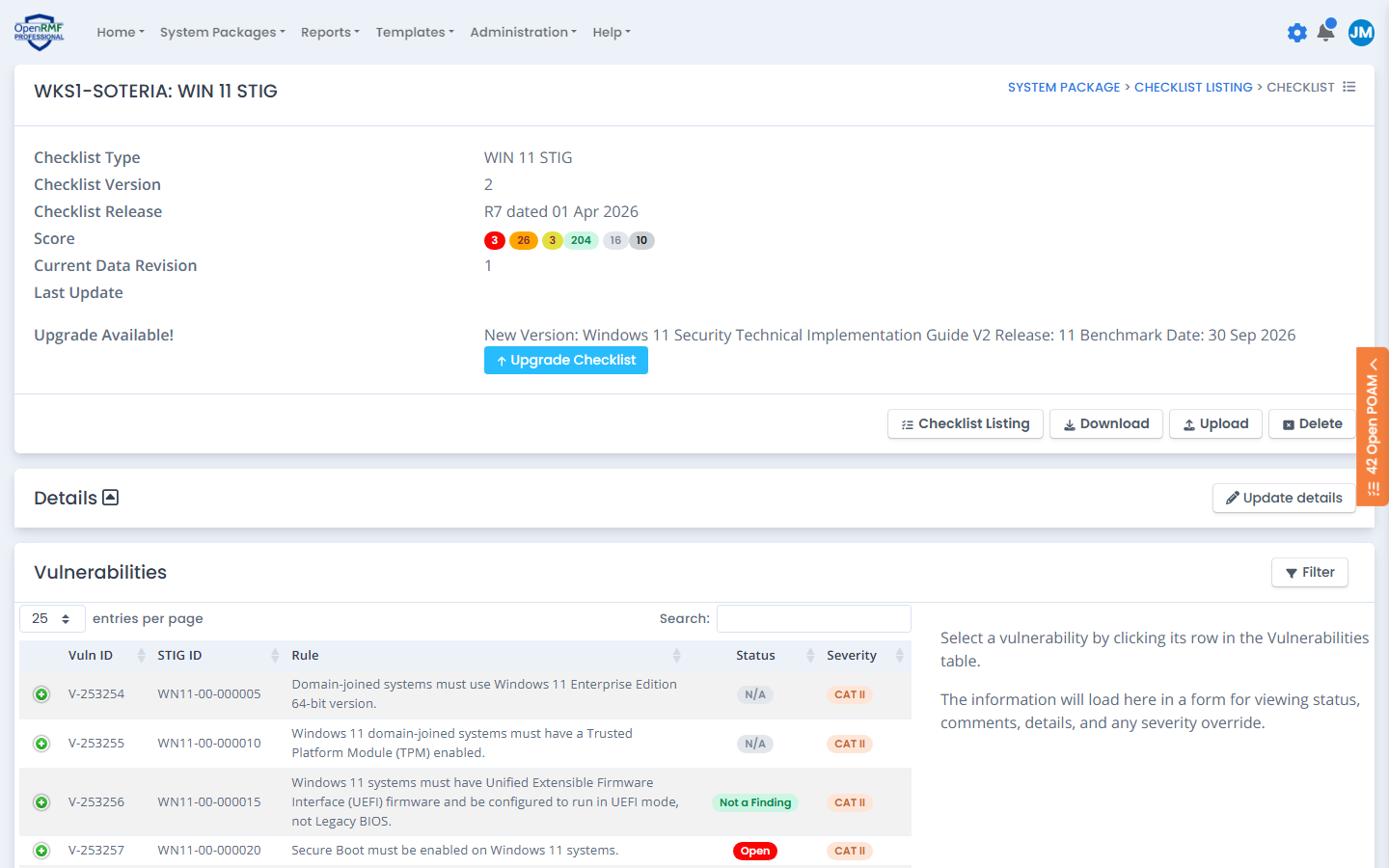
An open POAM item is any item that is not Completed or Accepted.
Viewing the Related POAM Items
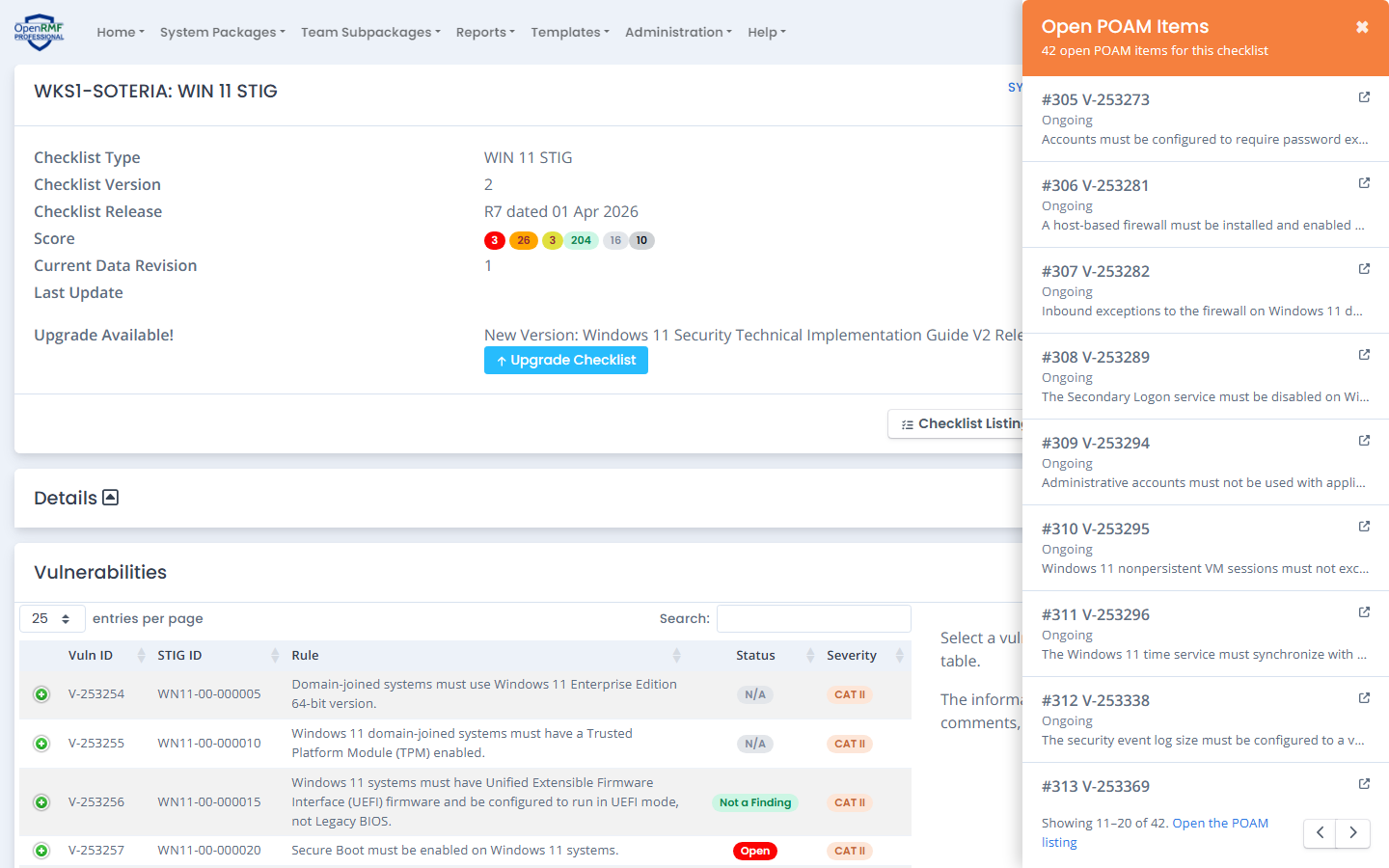
Click the “Open POAM” tab to slide out the Open POAM Items panel. It lists the open items 10 at a time, lowest POAM number first, with each item’s status and description. Click an item to open that POAM record in a new tab, or click “Open the POAM listing” at the bottom to go to the full POAM listing. Close the panel with the × in its top right corner or the Escape key.
When there are more than 10 open items, use the previous and next arrows at the bottom of the panel to page through them. The bottom of the panel shows which items you are viewing, for example “Showing 11–20 of 42”.
Team subpackage pages show the same tab, counting only the team’s own items. See the team subpackage Related POAM Items.
Where the Related POAM Items Show
The pages below check for open POAM items. Each one counts only the items tied to what that page shows.
| Page | Open POAM items counted |
|---|---|
| A checklist record | Items generated from that checklist |
| Patch Vulnerabilities | Items generated from patch scan findings. When you open the page for a single device, only that device’s items |
| Patch Scores, Host Scan Dashboard, Software Assets, and Hardware Assets | Items generated from patch scan findings in the system package |
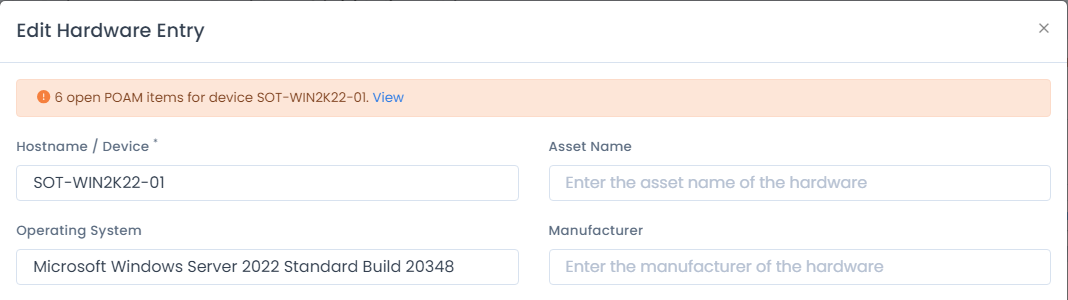
| Editing a hardware record | Items whose Devices Affected include that device |
| Other Technologies Dashboard | Items generated from any other technology vulnerability scan |
| Software, Container, Log, and Other vulnerability pages | Items generated from that category of other technology vulnerability scan |
| Compliance Statements | Items generated from any compliance statement in the system package |
| Editing a compliance statement, and a statement’s history | Items generated from that compliance statement |
Editing a Hardware Record
When you edit a hardware record from the Hardware Asset Listing, the Edit Hardware Entry window shows a notice at the top with the number of open POAM items for that device. Click “View” in the notice to open the same Open POAM Items panel for that device.
Editing a Compliance Statement
When you edit a statement from the Compliance Statements listing, the Edit Compliance Statement window shows a notice at the top with the number of open POAM items for that statement. Click “View” in the notice to open the Open POAM Items panel for that statement.
Other Technology Vulnerabilities
The Other Technologies pages show the tab for the open POAM items generated from your other technology vulnerability scan data.